
ITAR (International Traffic in Arms Regulations) compliance plays a fundamental role in how you manage users, data, and systems daily.
For security teams, that often raises the question: How do you meet ITAR’s strict requirements without halting your operations?
If you’re managing export-controlled data, your security workflow needs to do more than block threats. It must continuously enforce access control, encryption, monitoring, and audit readiness, all without creating bottlenecks for your team.
In this post, we’ll guide you through how to embed ITAR compliance directly into your security workflow, so protection becomes seamless, scalable, and audit-ready by design.
🚀 Be ITAR-Ready by Design
See how Theodosiana weaves file-level enforcement into your existing stack.
What Does ITAR Compliance Require from Security Workflows?
ITAR mandates strict control over who can access defense-related technical data, where that data lives, and how it’s handled. That includes:
- Access restrictions based on citizenship
- End-to-end encryption and secure file storage
- Real-time evidence trails for audit readiness
- Geofencing and secure collaboration protocols
If any of these responsibilities are handled outside your core security workflow, through ad-hoc processes or manual approvals, you’re creating risk.
Why Integrate ITAR Controls into Your Security Workflow?
Integrating ITAR controls directly into your workflow gives you:
- Less manual oversight – Reduce human error and administrative complexity
- Stronger enforcement – Make ITAR rules enforceable at the system and file level
- Faster audit readiness – Capture and surface the right evidence automatically
- Operational scalability – Maintain protection as your user base and data grow
What Should an ITAR-Compliant Security Workflow Include?
Here’s a framework to guide your implementation:
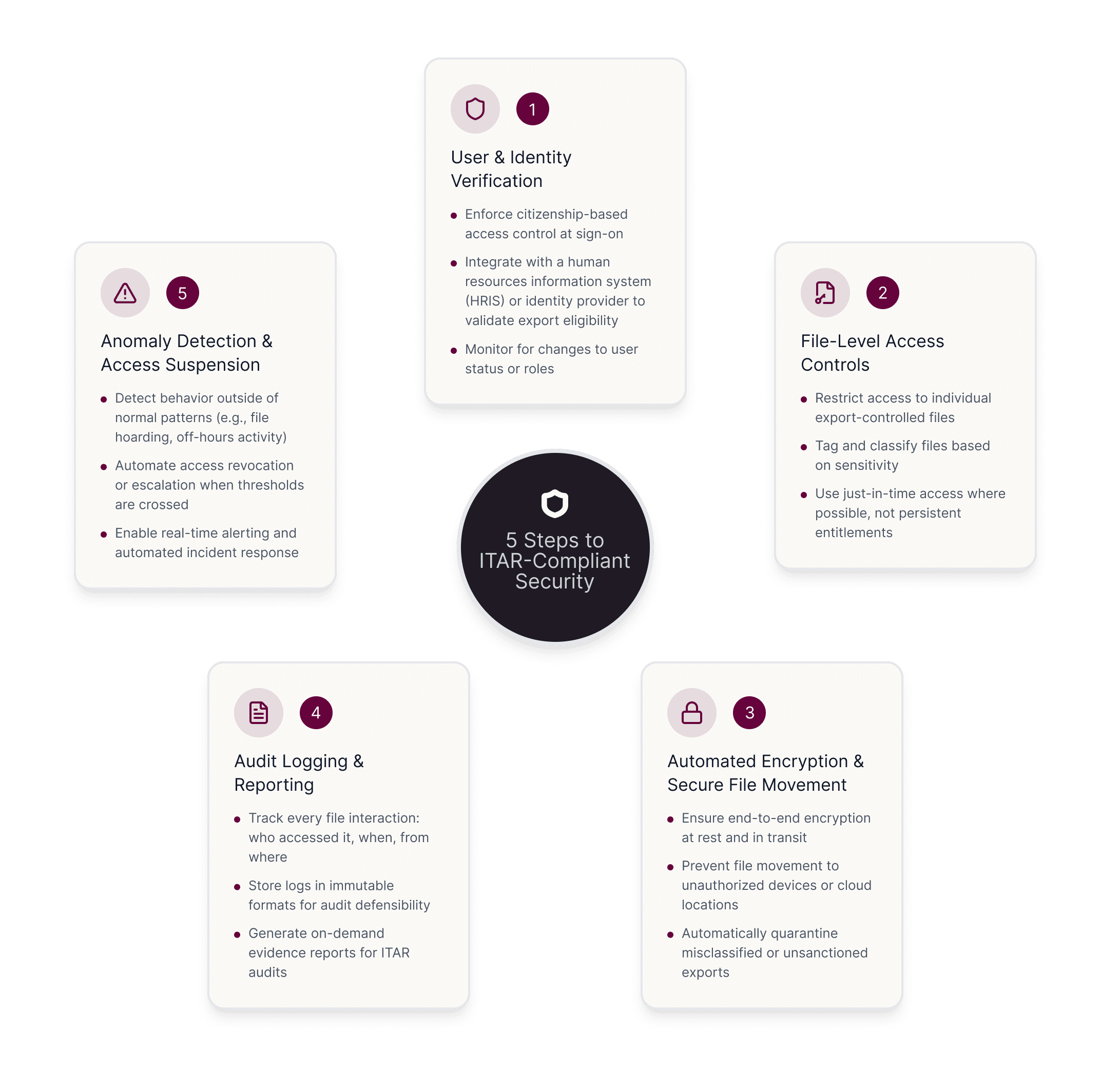
1. User & Identity Verification
- Enforce citizenship-based access control at sign-on
- Integrate with a human resources information system (HRIS) or identity provider to validate export eligibility
- Monitor for changes to user status or roles
2. File-Level Access Controls
- Restrict access to individual export-controlled files
- Tag and classify files based on sensitivity
- Use just-in-time access where possible, not persistent entitlements
3. Automated Encryption & Secure File Movement
- Ensure end-to-end encryption at-rest and in-transit
- Prevent file movement to unauthorized devices or cloud locations
- Automatically quarantine misclassified or unsanctioned exports
4. Audit Logging & Reporting
- Track every file interaction: who accessed it, when, from where
- Store logs in immutable formats for audit defensibility
- Generate on-demand evidence reports for ITAR audits
5. Anomaly Detection & Access Suspension
- Detect behavior outside of normal patterns (e.g., file hoarding, off-hours activity)
- Automate access revocation or escalation when thresholds are crossed
- Enable real-time alerting and automated incident response
How Does Theodosiana Support ITAR-First Security Workflows?
Theodosiana embeds file-level ITAR controls into your stack, without adding friction for users. That means:
- Only eligible users can access protected data, based on location, clearance, and project
- All activity is logged and instantly reportable
- Access can be granted or revoked automatically based on real-time context
- Encryption and file controls follow the data wherever it goes
- All encryption operations use FIPS 140-3 validated modules, ensuring cryptographic compliance with U.S. federal standards
- All processing is performed within FedRAMP-authorized environments, meeting the rigorous security requirements for handling controlled data
With Theodosiana, you don’t have to choose between compliance and speed; you get both in a unified platform designed for modern security teams.
🔒 ITAR Compliance, Without Compromise
Protect every file, every user, and every action by default.
FAQs: ITAR Compliance and Security Workflows
How does user access complicate ITAR compliance?
Users often need access to ITAR-controlled data to do their jobs. The challenge is ensuring that access remains appropriate over time, especially during role changes, notice periods, contractor access, or offboarding delays. Static permissions alone can’t adapt to these situations.
Why are file-level controls important for ITAR workflows?
File-level controls ensure that ITAR-protected data remains restricted regardless of where it’s stored or who accesses it. Access can be verified every time a file is opened, helping enforce export controls even inside trusted environments.